How FitWit AI Was Vibe-Coded in a Month with Codex and Claude
October 7, 2026 · 1296 words
| Item | Detail |
|---|---|
| What it is | iPhone and Apple Watch app: AI workout plans, a chat trainer and photo-based meal logging |
| Builder | Solo maker; background not disclosed |
| AI tool | Codex and Claude; "without writing a single line of code by hand" |
| Stack | Not disclosed (iPhone, iPad, Apple Watch, HealthKit per the listing) |
| Time to launch | About one month to App Store approval |
| Revenue | Not disclosed (pricing page only: $14.99/mo or $49.99/yr) |
| Source | Show HN, February 20, 2026 |
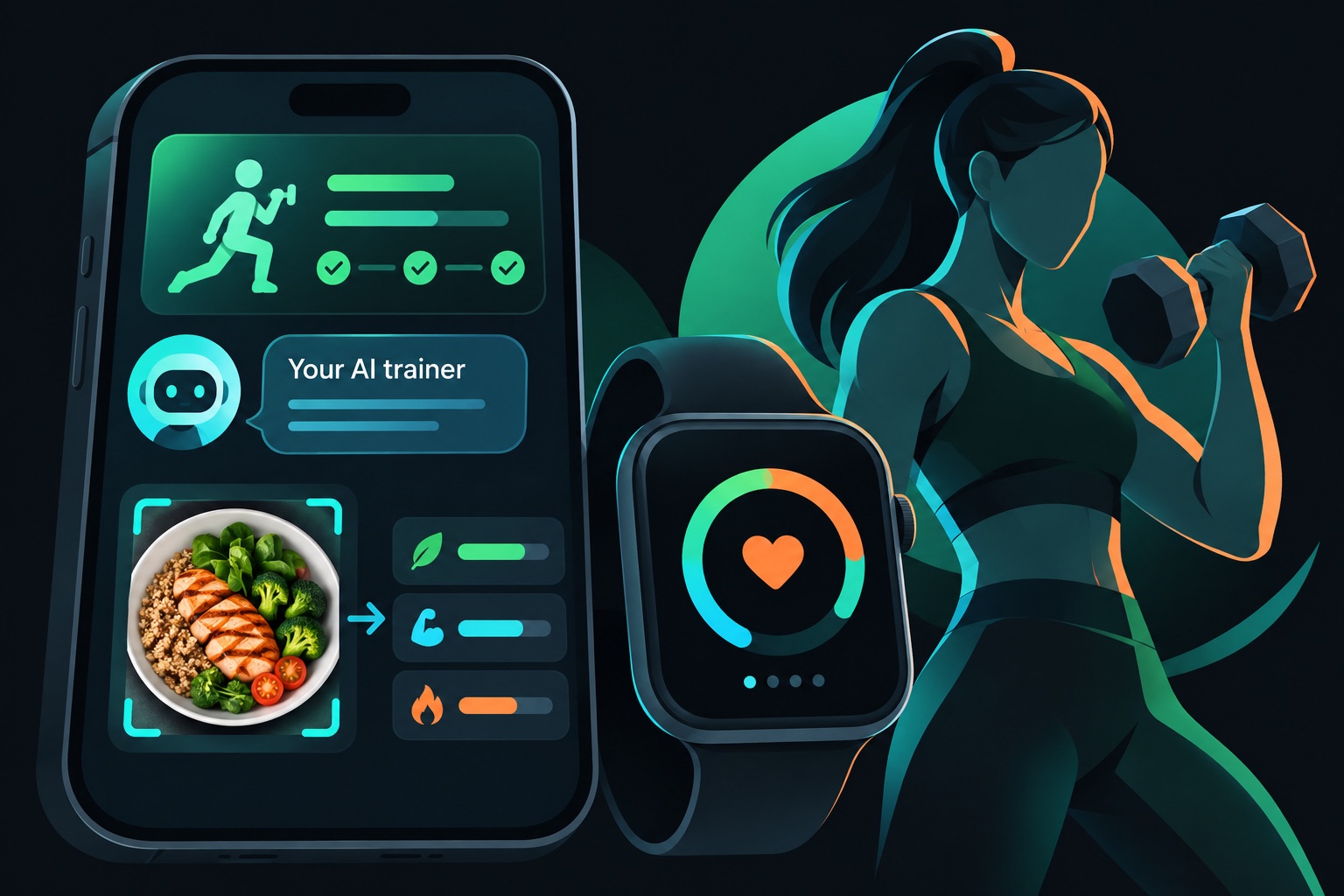
FitWit AI is an iPhone and Apple Watch fitness app. It builds workout plans, lets you chat with an AI trainer, and logs meals from a photo. Its maker says it was built in about a month without writing a single line of code by hand. It charges $14.99 a month or $49.99 a year.
Revenue is not disclosed. So this teardown covers the public parts: the build, the pricing and how the first testers arrived.
The one point to take away: a one-month vibe-coded app can reach the App Store, but the listing and pricing do the selling.
The problem: a personal trainer in your pocket
The Show HN post doesn't tell a personal backstory. It positions the app against two known names. The maker says it is on par with apps like Fitbod or Fitness AI.
Today's App Store listing goes further than workouts. The app is now called "FitWit AI – Fitness & Meals". It pitches fitness and nutrition in one place.
Here is what the listing says it does:
- Adaptive workout plans that change with your fitness level and the equipment you have.
- A chat and voice AI trainer you can ask questions.
- "Snap & Log", which estimates calories, protein, carbs and fat from a food photo.
- "AI Chef", which suggests meals that fit your macro targets. Macros are your daily protein, carbs and fat.
- Apple Watch tracking in real time, with Dynamic Island support on iPhone.
- HealthKit step counts and walking calories. HealthKit is Apple's shared health-data store.
How it was built
The build story is short, and that's the point. The maker spent about a month on it. In the maker's words, it was made "without writing a single line of code by hand".
The post names two AI tools, Codex and Claude, but doesn't say which one did what.
The stack is not disclosed. The listing's features, like the Watch app and HealthKit, point to a build for Apple's own platforms. The AI features also need a model behind them, but the post doesn't say which one or how it's hosted.
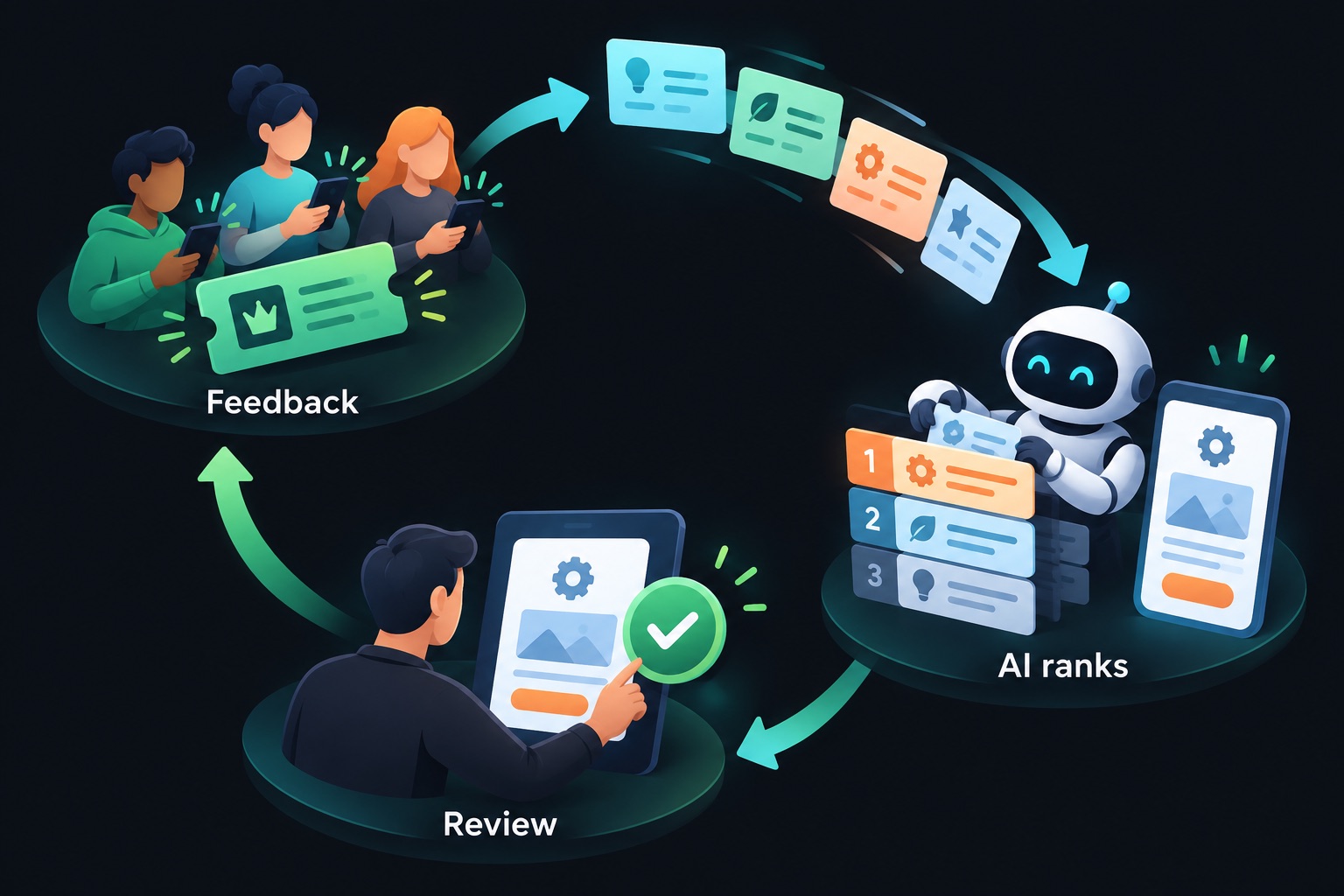
One detail stands out. The maker planned to let the AI help run the roadmap too, offering testers free access in exchange for feedback and one feature request, with a plan to ask Codex or Claude to rank the top requests and implement them.
That's a neat loop for a solo builder. Users suggest, AI sorts, AI builds, and you review.
A commenter praised the art and in-app graphics and asked if it was all AI-generated. The thread doesn't include an answer.
How it makes money
FitWit AI is a free download with a subscription inside. Here are the prices on the US App Store:
| Plan | Price | Per month |
|---|---|---|
| Monthly | $14.99 | $14.99 |
| Yearly | $49.99 | About $4.17 |
The gap between the two plans is big. Twelve monthly payments would cost $179.88. The yearly plan costs $49.99, a little over three months of monthly billing.
That pattern is common in subscription apps. A high monthly price makes the annual plan look like an obvious deal. It also brings cash in up front.
There is a cost side, too. Photo meal logging and a chat trainer usually call an AI model for each request. Every request costs the maker money. A subscription fits that, because usage keeps costing money after the sale.
First users
The first users came from the Show HN post itself. The offer was simple: free access for honest feedback and one feature idea.
The post drew 8 points and 5 comments. One reader said they'd been looking for something like it and would try it. Another suggested an AI trainer feature for form correction.
The App Store listing now shows a 5.0 rating from 15 ratings. The latest version is 1.0.5, released May 11. That's small but steady.
What to copy
- Launch before it's perfect. One month, approved, posted. Feedback started on day one.
- Trade access for feedback. Free access in return for one feature request gives you a product roadmap.
- Let AI sort requests, not decide strategy. Ranking requests is a good AI task. Choosing what the product stands for is still yours.
- Anchor against known names. "Like Fitbod or Fitness AI" tells readers instantly what it is.
- Price for your AI costs. If each photo or chat calls a model, a subscription covers ongoing usage.
If you vibe-code this
This app type is an iOS subscription app that sends health data and food photos to an AI backend. Here are the checks I'd run on any app like it:
- Keep AI provider keys off the phone. The app should call your server, and your server calls the AI. See environment variables security.
- Rate-limit AI endpoints per user. One script can burn your AI bill overnight. See API rate limiting.
- Check photo uploads. Limit file type and size, and keep the storage bucket private. See file upload security and storage bucket security.
- Scope every meal log to its owner. User A must never read User B's logs by changing an ID. See IDOR and authorization.
- Guard the chat trainer. Users can try to make the model ignore your rules. See prompt injection.
A small server route that checks the user and the photo before any AI call:
// app/api/meal-photo/route.ts
import { NextResponse } from "next/server";
import { getUserFromRequest } from "@/lib/auth"; // your own auth helper

const MAX_BYTES = 5 * 1024 * 1024; // 5 MB
const ALLOWED = ["image/jpeg", "image/png", "image/heic"];

export async function POST(req: Request) {
  const user = await getUserFromRequest(req);
  if (!user) return NextResponse.json({ error: "Unauthorized" }, { status: 401 });

  const form = await req.formData();
  const photo = form.get("photo");
  if (!(photo instanceof File) || !ALLOWED.includes(photo.type) || photo.size > MAX_BYTES) {
    return NextResponse.json({ error: "Invalid image" }, { status: 400 });
  }

  // The AI key lives only on the server (process.env), never in the iOS app.
  // ...send the photo to your model, then save the result under user.id
  return NextResponse.json({ ok: true });
}
Vibe-coding a health or fitness app with an AI backend? Email [email protected] for a vibe-code security audit.
Key takeaway
FitWit AI shows how fast the build part has become: one month, no hand-written code, App Store approved. What's left for the human is the positioning, the pricing and the feedback loop. Spend your saved time there.
More case studies: Vibe-coded apps making money · Security basics: Vibe coding security guide