How Cuneiform Chat Was Built with Claude Code: Stack and Pricing
October 7, 2026 · 1322 words
| Item | Detail |
|---|---|
| What it is | Platform to build one AI agent from your documents and deploy it to WhatsApp, Telegram, Messenger, Discord, Slack, Google Chat and websites |
| Builder | Developer (Bikash Das, solo) |
| AI tool | Claude Code, as the founder's main development partner |
| Stack | 6 backend services, MongoDB, Redis, Pinecone, S3, Next.js admin, Preact widget, Polar.sh billing, OpenTelemetry + Grafana |
| Time to launch | About 4 months (late October 2025 to late February 2026) |
| Revenue | Not disclosed (pricing page only: $39, $129 or $399 per month) |
| Source | Indie Hackers, February 24, 2026 |

Cuneiform Chat lets a business build one AI agent and put it on seven channels at once. Its solo developer built a six-service backend in about four months, with Claude Code as the main partner. Plans run from a free trial to $399 a month.
Revenue and customer numbers are not disclosed. The founder says the focus has now shifted to finding customers. That makes this a useful teardown for a different reason: it shows what AI makes easy, and what it doesn't.
The one point to take away: Claude Code can help one person build an enterprise-grade product, but it can't find the buyers for you.
The problem: one bot, many channels
Businesses want a chatbot that answers from their own documents. But their customers are spread out. Some message on WhatsApp, others on Telegram, Slack or a website chat.
Building a separate bot for each channel is slow. Cuneiform Chat's pitch is to build the agent once and deploy it everywhere. The homepage lists seven channels: WhatsApp, Telegram, Messenger, Discord, Slack, Google Chat and a website widget.
The agent learns from Google Drive, Dropbox, OneDrive, Box, websites and PDFs. It can also connect to Shopify and WooCommerce stores, show forms mid-chat, and hand off to a human.
How it was built
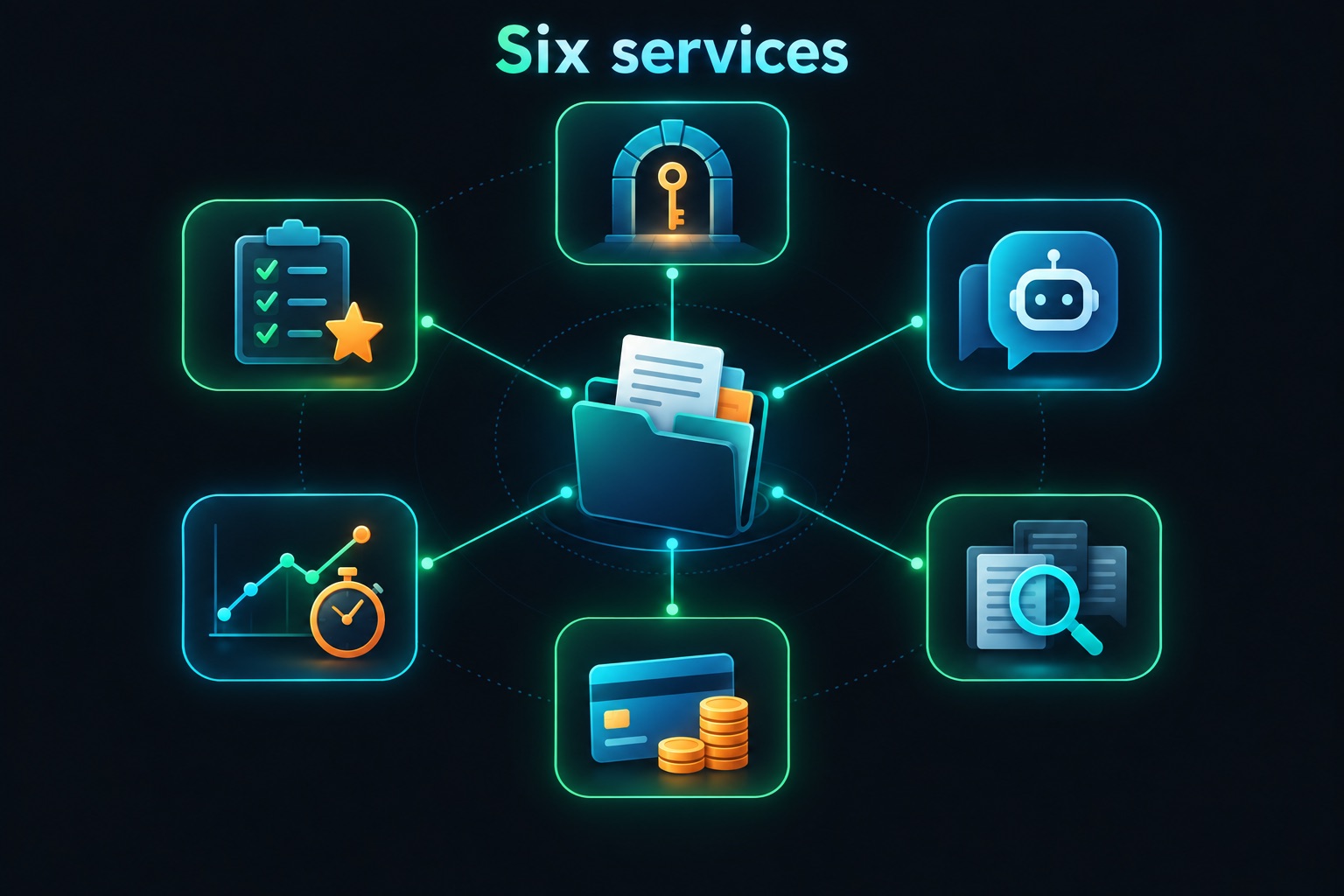
The Indie Hackers post is a detailed architecture tour. Here are the six services, in plain terms. A "service" here is a separate small program with one job.
- API gateway and auth. Routes traffic and handles logins through Firebase Authentication.
- Agent service. Runs conversations, agent settings and all channel integrations.
- RAG service. RAG (retrieval-augmented generation) means the AI looks up your documents before answering. This service splits documents, creates embeddings (number fingerprints of text) and searches them. The founder calls it the most complex service by lines of code.
- Billing service. Subscriptions through
Polar.sh, plus quotas and credit tracking. - Tracing service. Records every AI call and its cost in one dashboard.
- Eval service. Automatically scores answer quality using the RAGAS framework.
Data lives in six MongoDB databases, with Redis for caching. Pinecone, a vector database, stores the document fingerprints. Documents sit in S3. The admin panel uses Next.js. The chat widget uses Preact and stays under 11 KB compressed.
The Claude Code part is explicit. The founder's one-line summary: "Claude Code is my primary development partner."
How Bikash made that work is the most copyable part. The founder keeps about 30 reference documents in a .claude/ folder. They cover architecture decisions, service patterns, API conventions and feature specs. Claude Code reads them before writing code.
The build also hit a classic multi-tenant problem. Multi-tenant means many customers share one system, and each must only see their own data. The reference docs helped, but the biggest fix was a hard rule in CLAUDE.md. CLAUDE.md is the instructions file Claude Code reads in every session. The rule: every database query must include the organization ID filter.
The post doesn't split the work line by line between the founder and the AI. It frames Claude Code as a collaborator that reads the codebase and writes production code.
How it makes money
Pricing is credit-based. Credits are units of usage, like AI messages and processing. The pricing page headline is "Pay for Usage, Not Features".
| Plan | Price | Notes |
|---|---|---|
| Trial | Free | 2,000 credits per month, no credit card |
| Starter | $39/month | More credits, storage and seats |
| Plus | $129/month | Higher limits |
| Enterprise | $399/month | Highest limits |
All plans are billed monthly. Credits make sense here. Every AI answer costs the founder money through model calls, so charging by usage keeps margins safer. The tracing service helps too, because it records the cost of each AI call.
The jump from $39 to $129 to $399 signals who the product targets. These are business prices, not consumer ones.
First users: the honest part
There's no customer story in the post. Instead, the founder lists their own lessons, and two are about this gap.
First, the founder didn't market from day one, writing that the product was production-ready long before anyone knew it existed.
Second, billing was over-engineered: a full billing microservice was built before the first paying customer.
The founder also names wins. Designing for many tenants from day one was worth it. The custom tracing service paid for itself in the first week of production debugging.
That's a pattern worth noticing. AI coding tools make it cheap to build more. It's tempting to keep building instead of selling.
What to copy
- Give Claude Code a reference library. A
.claude/folder of architecture notes keeps AI output consistent. - Turn repeated mistakes into hard rules. If the AI keeps forgetting something, write it into
CLAUDE.md. - Trace AI costs from the start. Knowing cost per request makes pricing decisions easier.
- Charge by usage when AI is your main cost. Credits match revenue to spend.
- Start marketing before the product is "ready". The founder's own top lesson.
If you vibe-code this
This app type is a multi-tenant AI chatbot platform that ingests customer documents and connects to messaging apps. Here are the checks I'd run on any app like it:
- Filter every query by tenant. Take the org ID from the verified session, never from the request body. See IDOR and authorization.
- Isolate vector search per tenant. Use a namespace or filter per customer, so one tenant's search never returns another's documents.
- Treat uploaded documents as untrusted. A PDF can hide instructions aimed at your AI. See prompt injection.
- Verify channel webhooks. Check each platform's signature or secret before trusting a message. The pattern is the same as Stripe webhook security.
- Rate-limit per tenant. One busy or abusive tenant shouldn't drain shared capacity. See API rate limiting.
A small helper that makes the tenant filter impossible to forget:
import { Db, ObjectId } from "mongodb";

// orgId must come from the verified session, not from the request body
export function forOrg(db: Db, orgId: string) {
  const agents = db.collection("agents");
  return {
    listAgents: () => agents.find({ orgId }).toArray(),
    getAgent: (id: string) => agents.findOne({ _id: new ObjectId(id), orgId }),
    deleteAgent: (id: string) => agents.deleteOne({ _id: new ObjectId(id), orgId }),
  };
}
Building a multi-tenant SaaS with Claude Code? Email [email protected] for a vibe-code security audit.
Key takeaway
Cuneiform Chat shows how far one developer can go with Claude Code and good reference docs: six services, seven channels, four months. The founder's own lesson is the real takeaway. Building got cheap, so start selling early.
More case studies: Vibe-coded apps making money · Security basics: Vibe coding security guide