talat's Stack: An On-Device Meeting App Built with Claude Code
October 7, 2026 · 1324 words
| Item | Detail |
|---|---|
| What it is | Desktop app that records both sides of a call, transcribes it live and summarizes it, all on your own computer |
| Builder | Developer (self-employed; site now says "a team of two") |
| AI tool | Claude Code for implementation; architecture by the human |
| Stack | Tauri, Core Audio taps, FluidAudio on the Apple Neural Engine, local Qwen model, optional cloud LLMs |
| Time to launch | About a year of component work; pre-release in March 2026 |
| Revenue | Not disclosed (pricing page only: $189 once or $9/mo) |
| Source | Show HN, March 18, 2026 |
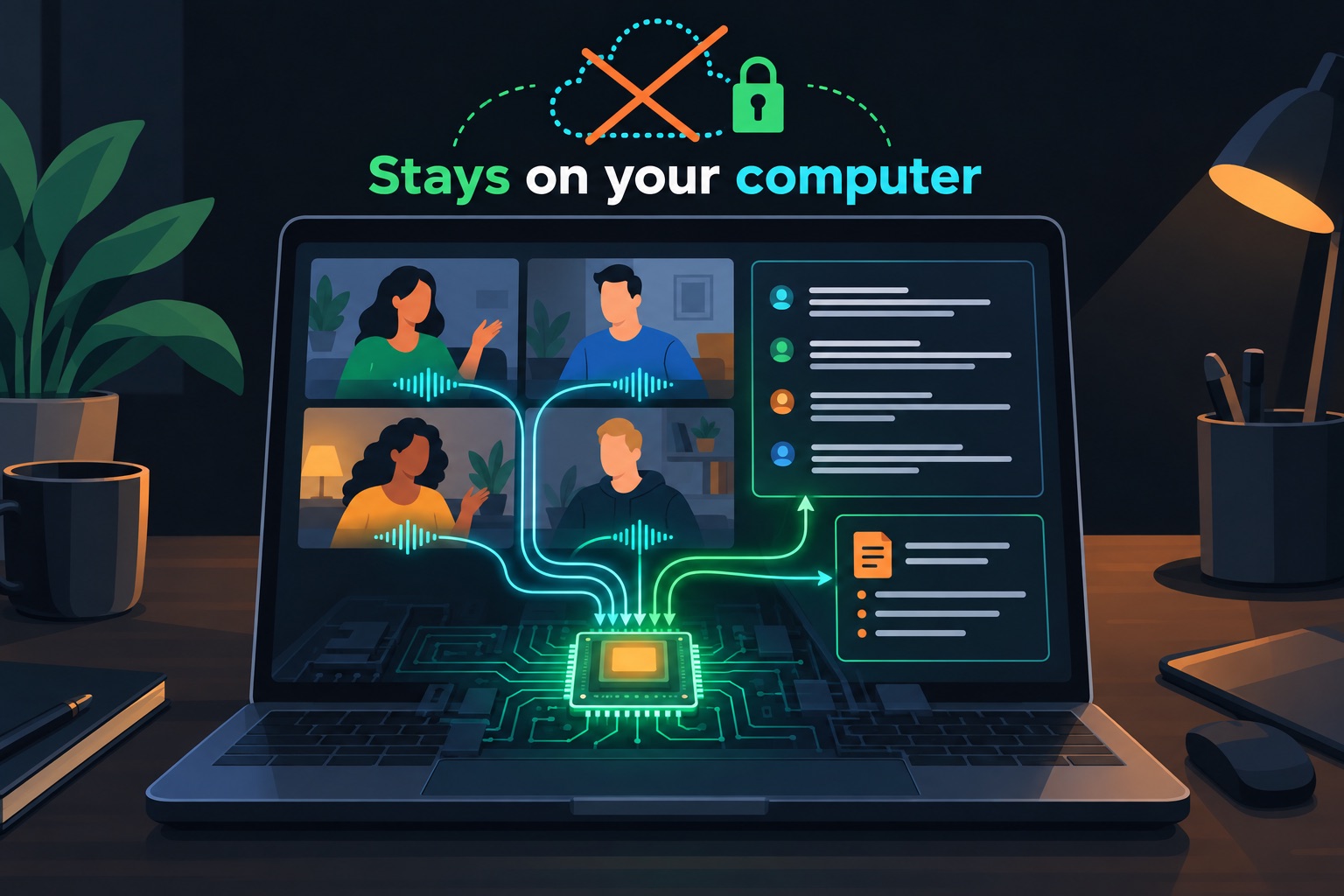
talat is a meeting note-taker that never sends your audio to a server. It captures your mic and the other people on the call, transcribes in real time, and writes a summary, all on your machine. It sells for $189 once or $9 a month, with 10 free hours and no account.
Its maker is a self-employed developer who credits Claude Code with speeding up the implementation, but is clear that the architecture came from a year of their own work.
The one point to take away: AI coding pays off most when you bring the hard pieces and the plan.
Why build it: privacy as the product
The Show HN post opens with praise for Granola, a popular AI meeting-notes app. The maker uses it daily. The one complaint is where the data goes.
With cloud note-takers, every second of audio goes to a speech-recognition provider. The transcript likely goes to a cloud AI model. The notes live on the company's servers. That brings speed and sync, but at the cost of privacy.
talat flips that default. The website says recordings, transcripts and notes stay in a local database that never leaves the machine. There are no in-app analytics tracking what you do, according to the post.
The stack, layer by layer
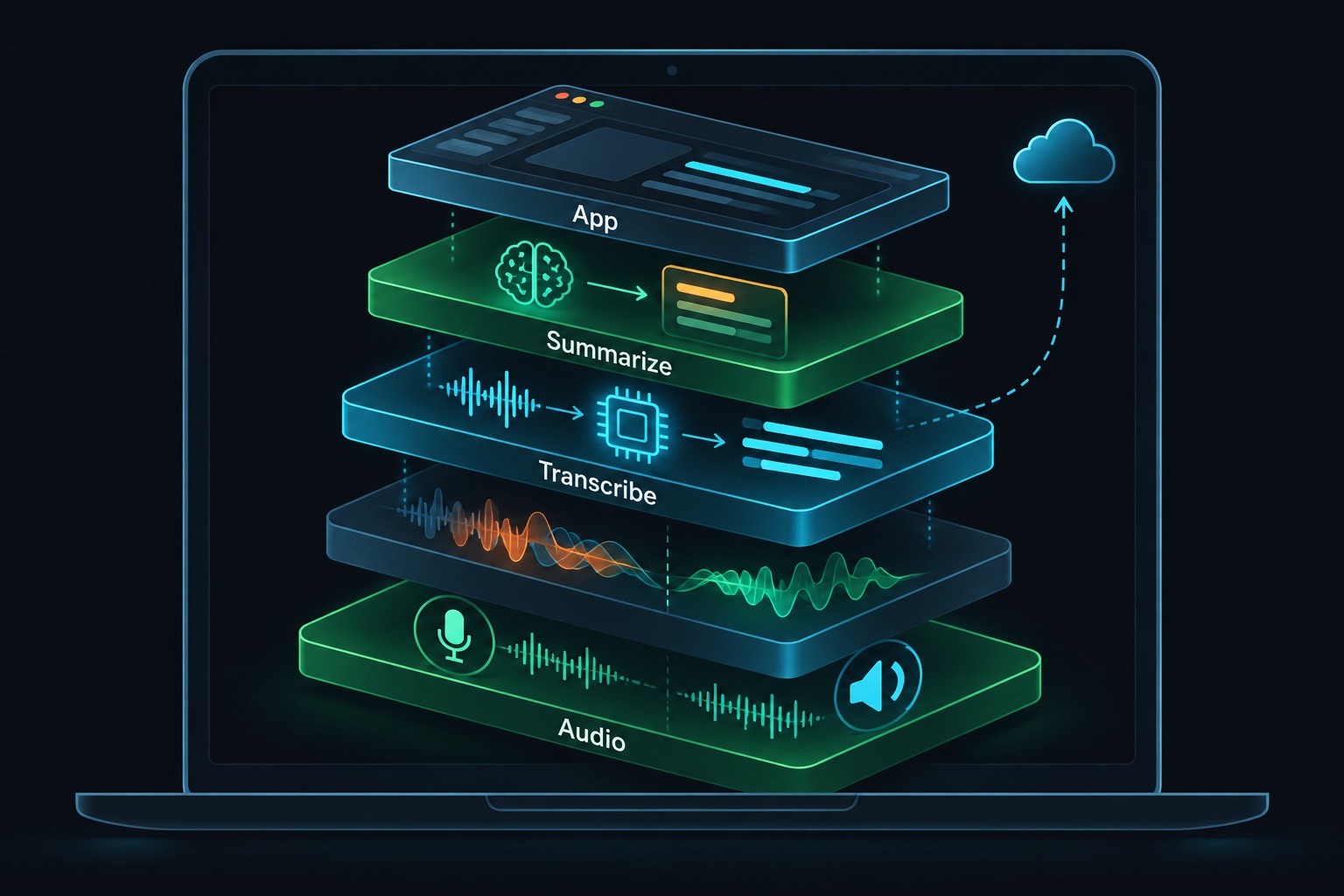
Here is what the post and website describe. "On-device" means the work runs on your own computer's chips.
| Layer | Choice | Why |
|---|---|---|
| App shell | Tauri | Small downloads: 20 MB at launch, now 14–15 MB |
| System audio | Apple Core Audio taps | Records call audio without screen video |
| Call cleanup | Acoustic echo cancellation, meeting detection, custom notification windows | Built by the maker over the past year |
| Transcription | FluidAudio on the Apple Neural Engine | Fast, private, real-time speech-to-text |
| Summaries | Local Qwen model (Qwen3-4B-4bit at launch; site now lists Qwen 3.5-4B) | Private by default |
| Optional cloud AI | Claude, OpenAI or Ollama, with the user's own API keys | Better summaries if the user chooses |
| Storage | Local database | Nothing uploaded by default |
| Integrations | Apple/Google Calendar; Zoom, Meet, Teams, FaceTime; export to Markdown, Obsidian, PDF, webhook, MCP | Fits existing workflows |
A few terms, quickly.
Tauri is a framework for desktop apps. The screens are built with web technology, and a small Rust core handles the rest. The post notes Granola is an Electron app, a heavier framework. Tauri kept talat's download at 20 MB at launch.
Core Audio taps is an Apple feature for capturing system sound. Granola was the first app the maker had seen record system audio without also recording video. That sparked a year-long obsession. The maker wrote an open-source Swift library to make the feature easier to use, and it led to freelance work.
FluidAudio runs speech recognition on the Apple Neural Engine (ANE), the Mac's built-in AI chip. At launch this is why talat needed an M-series Mac. Discovering FluidAudio is what finally made the product possible, the post says.
Qwen is an open AI model family. A small, compressed version runs locally to write summaries. The maker admits these can be hit and miss. Users can switch to a cloud model instead.
The website shows the stack has moved since March. There is now a Windows 10+ version, alongside macOS 15+ on Apple Silicon. There is also a dictation mode and an import tool for audio files.
What it costs to run
Monthly running costs are not disclosed.
The architecture still tells you something. Transcription and default summaries run on the user's hardware, so there is no per-minute speech-to-text bill. If a user wants cloud summaries, they bring their own API key and pay the provider directly.
That design moves the biggest variable cost off the maker's books. It is also what makes a one-time price possible.
The pricing reflects that. You get 10 hours of recording free, with no account. After that, you can still search, export and summarize old meetings. Paid options are $9 a month or $189 once, with a 30-day money-back guarantee. The lifetime price equals 21 months of the subscription. Volume pricing starts at five licenses.
What the AI wrote vs what the human built
The maker draws the line directly: "The implementation was hugely accelerated through Claude Code, but the architecture, the design patterns, and all the little hard-won pieces of the puzzle mentioned earlier are entirely human."
Those hard-won pieces are the list above: system audio recording, echo cancellation, meeting detection and notification windows. The maker pieced them together over the past year or so.
So Claude Code did not invent talat. It helped a developer who already owned the tricky parts assemble them into a product faster.
The maker is also open about what's rough. Telling speakers apart ("diarisation") was weak at launch. Local summaries were uneven. The post says that the more the maker uses talat, the more simply having the transcript matters.
This is a useful model if you are new to vibe coding. The AI speeds up the typing. The differentiated parts still come from someone who understands the domain.
If you vibe-code this
This app type is a desktop app that records highly sensitive audio and can send text to cloud AI. Here are the checks I'd run on any app like it:
- Store users' API keys in the OS keychain. Never keep them in a plain config file. The snippet below shows one way in Rust.
- Treat transcripts as untrusted input. Someone on a call can say "ignore previous instructions". That text then reaches your LLM. See prompt injection for vibe coders.
- Be careful with export paths. Webhooks and MCP connections move private notes off the device. Only send where the user explicitly configured. See MCP security tools.
- Vet models and packages. Pin versions and check where downloaded models come from. See supply chain security.
- Show clearly what leaves the machine. If cloud AI is on, say so in the UI every time it's used.
Keeping a cloud API key in the OS keychain with the keyring crate:
use keyring::Entry;

// Enable the crate's platform features (e.g. apple-native, windows-native) in Cargo.toml
const SERVICE: &str = "com.example.meeting-notes";

fn save_api_key(provider: &str, key: &str) -> keyring::Result<()> {
    Entry::new(SERVICE, provider)?.set_password(key)
}

fn load_api_key(provider: &str) -> keyring::Result<String> {
    Entry::new(SERVICE, provider)?.get_password()
}
Building a desktop app that handles recordings or API keys? Email [email protected] for a vibe-code security audit.
Key takeaway
talat's stack is a privacy promise turned into architecture. Every layer runs locally by default, which cuts running costs and supports a one-time price. Claude Code sped up the build, but a year of hands-on audio work is what made it possible.
More case studies: Vibe-coded apps making money · Security basics: Vibe coding security guide