Next.js Security Headers Are Missing by Default: The CSP Block Your AI Never Wrote (With Code)
August 13, 2026 · 1323 words
Next.js security headers are the part of your app you can't see, which is exactly why your AI assistant never wrote them. Run a free security scanner against your vibe-coded site and you get a page of red: Content Security Policy (CSP) Header Not Set. Strict-Transport-Security missing. X-Content-Type-Options missing.
That's not a false alarm. It means if a malicious script ever lands in one of your pages — through a comment box, a username field, a third-party widget — the browser will run it. Once it runs, it can act as your logged-in user: read their data, make requests in their name, and in many setups walk off with the session cookie.
This is a one-file fix. Below is the exact headers() block to paste into next.config.js, verified against the current Next.js documentation, plus a curl command that proves it's live.
What a security header actually is
A header is a short instruction your server attaches to every page it sends. The browser reads it before rendering anything. Security headers are the instructions that say don't do that.
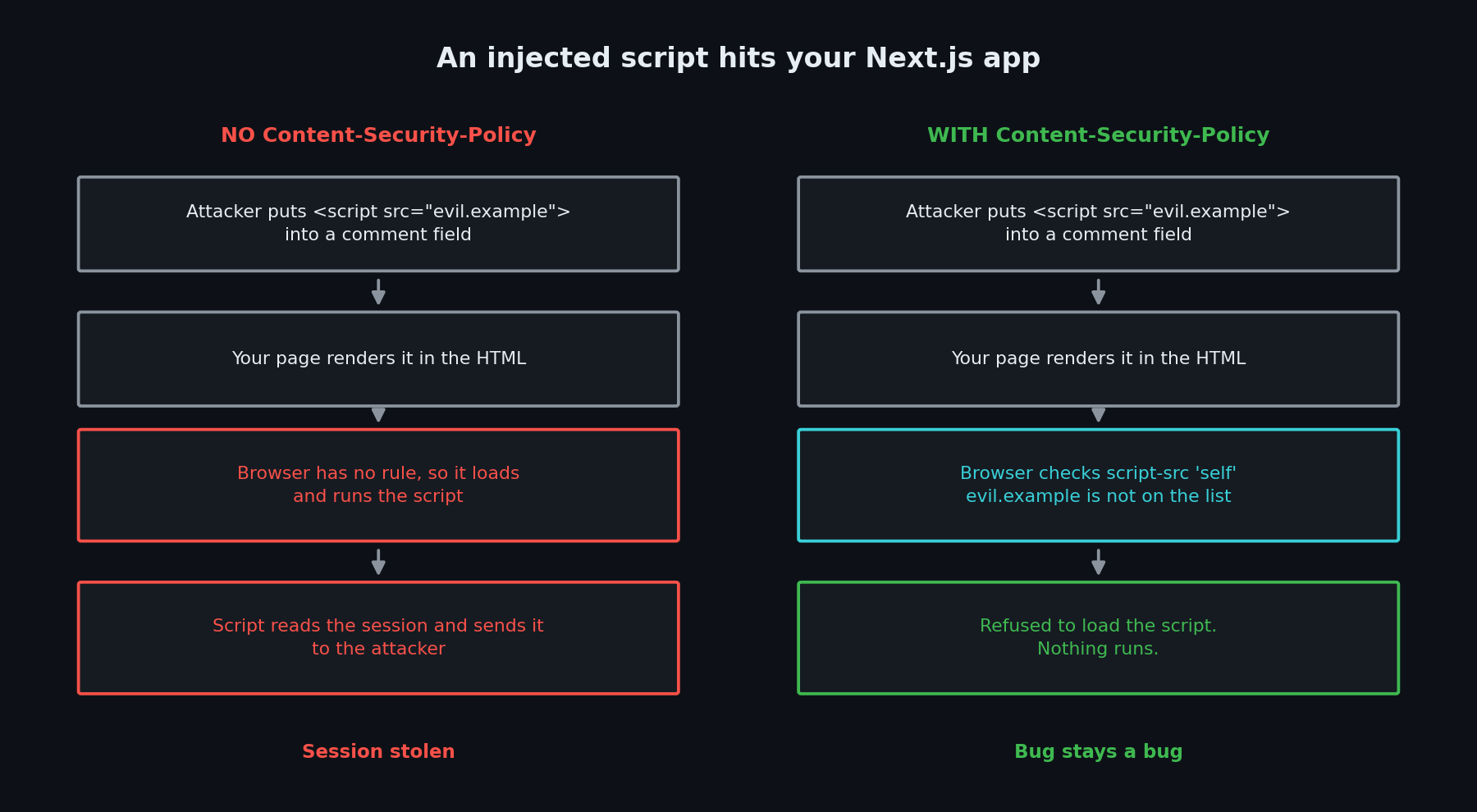
The one that matters most is Content-Security-Policy (CSP) — a list of the places a browser is allowed to load scripts, styles, images, and fonts from. Without it, the browser runs any <script> it finds in your HTML, no questions asked. With it, a script pointing at evil.example is refused before it executes.
That is the difference between an XSS bug being a bug and being a breach. CSP does not stop the injection. It stops the payload from running.
The next.config.js your AI wrote
Ask Cursor or Claude Code to scaffold a Next.js app and you get some version of this:
// ❌ INSECURE — not because of what's here, but because of what isn't
/** @type {import('next').NextConfig} */
const nextConfig = {
  reactStrictMode: true,
  images: {
    remotePatterns: [{ protocol: 'https', hostname: 'images.example.com' }],
  },
  // ← no headers() block. Every response ships with zero security headers.
}

module.exports = nextConfig
Nothing here is wrong, and that's the problem. There's no error, no warning, no failing build. Next.js does not add security headers for you, and an AI assistant writes the config you asked about — not the one you forgot to ask about.
The fix: one headers() block in next.config.js
Next.js has a built-in headers config option that attaches headers to matching routes. Paste this in:
// ✅ FIXED — next.config.js
const isDev = process.env.NODE_ENV === 'development'

const cspHeader = `
  default-src 'self';
  script-src 'self' 'unsafe-inline'${isDev ? " 'unsafe-eval'" : ''};
  style-src 'self' 'unsafe-inline';
  img-src 'self' blob: data:;
  font-src 'self';
  object-src 'none';
  base-uri 'self';
  form-action 'self';
  frame-ancestors 'none';
  upgrade-insecure-requests;
`

/** @type {import('next').NextConfig} */
const nextConfig = {
  async headers() {
    return [
      {
        source: '/(.*)', // every route
        headers: [
          { key: 'Content-Security-Policy', value: cspHeader.replace(/\n/g, '') },
          {
            key: 'Strict-Transport-Security',
            value: 'max-age=63072000; includeSubDomains; preload',
          },
          { key: 'X-Content-Type-Options', value: 'nosniff' },
          { key: 'Referrer-Policy', value: 'origin-when-cross-origin' },
          {
            key: 'Permissions-Policy',
            value: 'camera=(), microphone=(), geolocation=(), browsing-topics=()',
          },
        ],
      },
    ]
  },
}

module.exports = nextConfig
In plain language: default-src 'self' means "only load things from my own domain." frame-ancestors 'none' stops other sites from loading your app inside an invisible frame to trick your users into clicking things. nosniff stops the browser guessing that an uploaded file is really a script. Permissions-Policy switches off the camera, microphone, and location APIs you aren't using.
Two things to watch. Strict-Transport-Security forces HTTPS, but the preload flag is close to permanent — only keep it if every subdomain you own is already HTTPS-only. And if your next.config.js uses the i18n option, swap source: '/(.*)' for source: '/:path*'; the docs warn that /(.*) gets a locale prefix added and then skips your homepage.
One honest caveat on the policy itself. This version allows 'unsafe-inline' scripts, because Next.js injects inline scripts of its own. That is weaker than a perfect policy — it still blocks scripts loaded from other domains, but not inline ones. The strict version replaces 'unsafe-inline' with a nonce: a random one-time password regenerated on every request. You set it in proxy.ts, the file renamed from middleware.ts in Next.js 16 (the old name still works, but it's deprecated). Next.js documents that approach here. The cost is that every page must render on demand, so you lose static caching. Start with the config above today; move to nonces when you need the stricter policy.
Test it in ten seconds
# Does the CSP header actually go out?
curl -I https://your-app.com | grep -i "content-security-policy"

# Expected (the doubled spaces are normal — that's the newline replacement):
# content-security-policy:   default-src 'self';  script-src 'self' 'unsafe-inline'; ...

# See the whole set at once
curl -I https://your-app.com
If nothing prints, the headers aren't live. next.config.js is read when the server starts, so restart your dev server or redeploy. After deploying, open your browser's DevTools console and click around. If you see Refused to load the script..., that's CSP working — add that domain to script-src if you actually need it.
Ask your AI to fix it
Paste this into Cursor, Claude Code, or Copilot Chat.
Audit
next.config.jsin this project. Add anasync headers()block applying tosource: '/(.*)'that sets Content-Security-Policy, Strict-Transport-Security, X-Content-Type-Options, Referrer-Policy, and Permissions-Policy. For the CSP, usedefault-src 'self',object-src 'none',base-uri 'self',form-action 'self', andframe-ancestors 'none'. Then list every external domain this app loads scripts, styles, images, fonts, or API calls from — checknext/scripttags, analytics, fonts, andfetchcalls — and tell me which CSP directive each one needs. Do not add a domain to the policy unless you found it in the code.
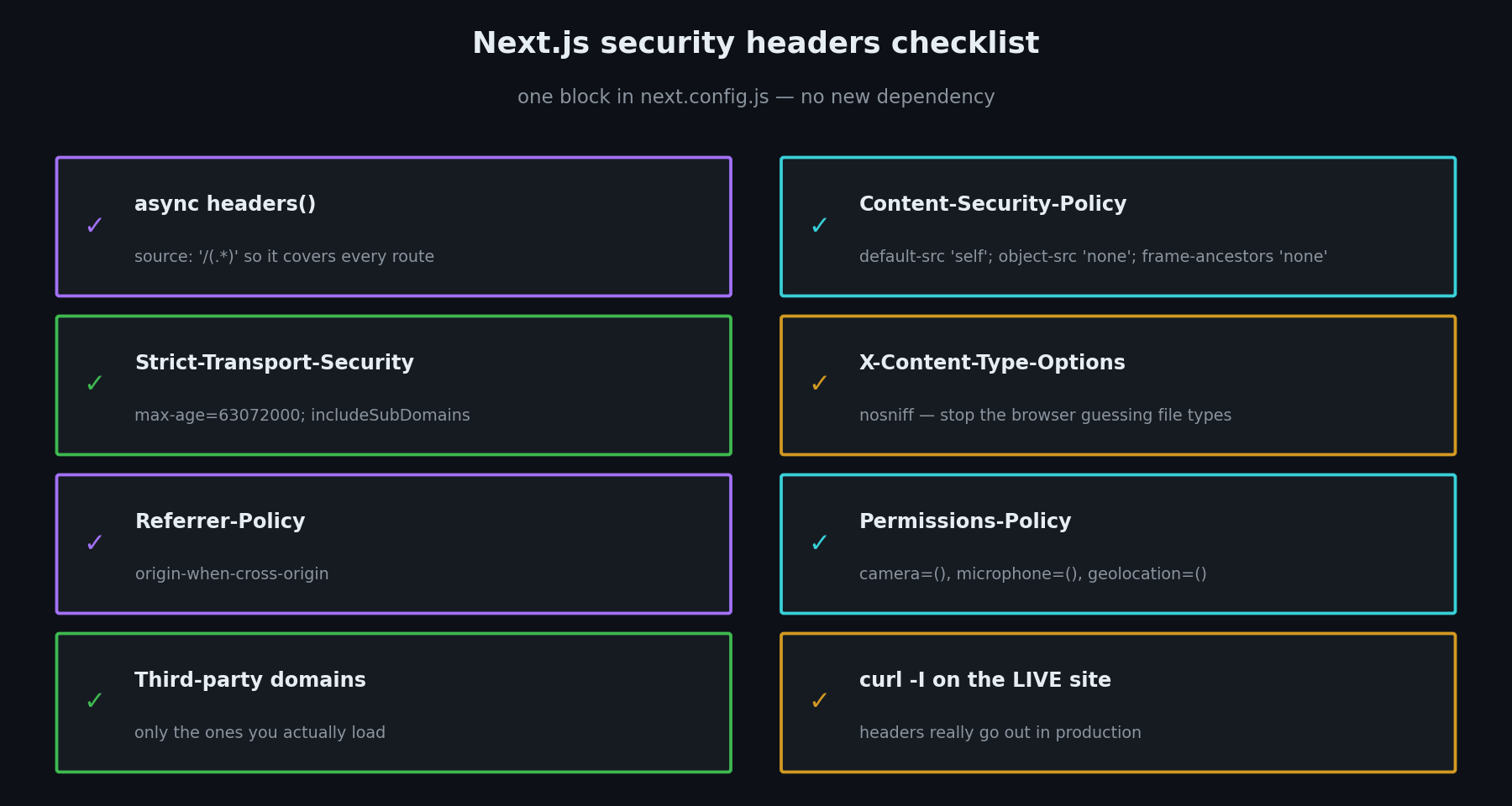
Your Next.js security headers checklist:
next.config.jshas anasync headers()block withsource: '/(.*)'.Content-Security-Policyis set, withobject-src 'none'andframe-ancestors 'none'.Strict-Transport-Security,X-Content-Type-Options,Referrer-Policy, andPermissions-Policyare all present.- Every third-party domain you actually use is listed in the right directive — and nothing else is.
curl -Iagainst your live site prints the headers, not just localhost.- You clicked through the app with DevTools open and fixed every
Refused to loaderror.
Headers are the cheapest security work in your whole app — one file, no new dependency, no database migration. If you want the rest of the picture, start at our vibe coding security pillar guide.
Want someone to check your headers?
Not sure whether your CSP is real protection or just a line that silences the scanner? I run hands-on vibe coding security audits — I'll check your live response headers, find the third-party domains your policy is quietly breaking, and send you a plain-English list of what to change. Email me at [email protected].
Key Takeaway
Next.js ships no security headers by default, and your AI assistant won't add them unless you ask. Put an async headers() block in next.config.js and lead with a Content-Security-Policy, so an injected script can't execute. Add HSTS, nosniff, Referrer-Policy, and Permissions-Policy alongside it. Then run curl -I against your live site to confirm they're really going out. Ten minutes of work that turns a scanner's page of red into a page of green — and turns a future XSS bug into a blocked request.
The headers config option, CSP directives, nonce handling, and the middleware.ts → proxy.ts rename in Next.js 16 were verified against the official Next.js documentation in August 2026. Test against your deployed site, not localhost — hosting platforms can add or strip headers of their own.