The Best MCP Servers for Vibe Coding in 2026: 6 Model Context Protocol Servers Worth Installing
July 10, 2026 · 1691 words
The right MCP servers turn a generic AI assistant into a vibe-coding powerhouse that can read live documentation, drive a real browser, manage your GitHub, and navigate a large codebase like a senior engineer. This roundup covers six of the most useful Model Context Protocol servers on GitHub right now — what each does, why it matters when you're vibe coding, and a copy-pasteable config to get it running — so you can wire up the good ones without trawling through a hundred READMEs. Every repo below was checked directly on GitHub, and the star counts are approximate as of July 2026.
What Is the Model Context Protocol?
MCP (Model Context Protocol) is an open standard — originally from Anthropic, now a broad open-source ecosystem — for connecting AI apps to external tools and data. The official docs at modelcontextprotocol.io describe it as "a USB-C port for AI applications": instead of every tool inventing its own bespoke integration, an MCP server exposes capabilities (files, APIs, docs, a browser) and any MCP-compatible client — Claude Code, Cursor, VS Code, Codex, and dozens more — can plug straight in. For vibe coders, that means one small config block gives your agent a superpower it didn't ship with.
The Best MCP Servers at a Glance
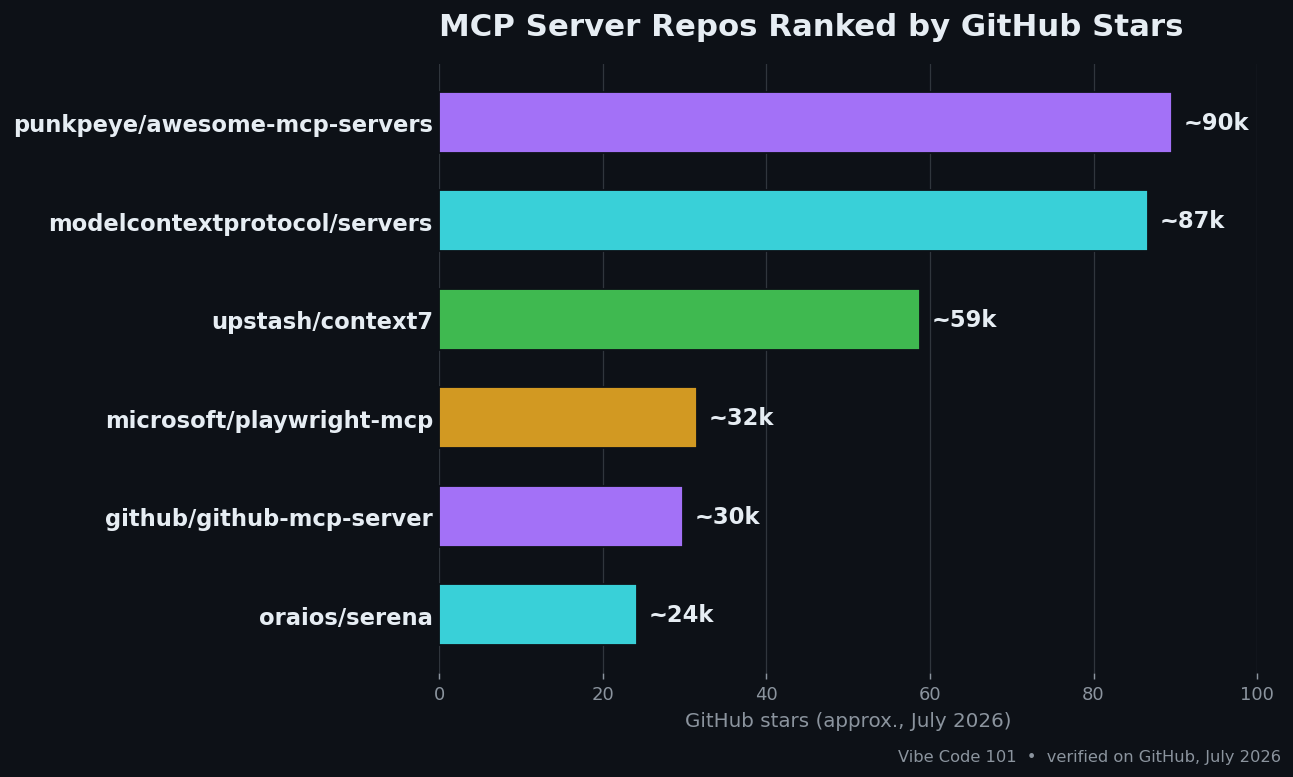
Here's the full lineup, sorted by GitHub stars. Use it as a cheat sheet, then jump to the section for whichever one fits your workflow.
| Server | Stars (Jul 2026) | What it does | Language / License |
|---|---|---|---|
| punkpeye/awesome-mcp-servers | ~90k | Curated directory of MCP servers | Markdown / MIT |
| modelcontextprotocol/servers | ~87k | Official reference servers (files, git, memory) | TypeScript & Python / MIT + Apache-2.0 |
| upstash/context7 | ~59k | Up-to-date library docs in your prompt | TypeScript / MIT |
| microsoft/playwright-mcp | ~32k | Browser automation and web testing | TypeScript / Apache-2.0 |
| github/github-mcp-server | ~30k | Issues, PRs, Actions and code search | Go / MIT |
| oraios/serena | ~24k | Semantic code retrieval and refactoring | Python / MIT |
1. awesome-mcp-servers — the map of the whole ecosystem
punkpeye/awesome-mcp-servers is the most-starred MCP resource on GitHub — roughly 90k stars, MIT-licensed, and still merging pull requests daily. It isn't a server you install; it's a categorized directory of hundreds of them, from databases and cloud platforms to design tools and niche APIs.
Why it matters to vibe coders: the MCP space moves fast, and a curated list saves you from evaluating dead or sketchy repos. When you have a specific need ("I want my agent to query Postgres" or "talk to Stripe"), this is where you look first.
When to use it: any time you're hunting for a server that isn't in this post. Start with the official MCP Registry for verified entries, then use awesome-mcp-servers for the long tail of community projects.
2. Model Context Protocol servers — the official building blocks
modelcontextprotocol/servers is the reference collection maintained by the MCP steering group, at roughly 87k stars. It ships the primitives almost every workflow leans on: Filesystem (scoped file access), Git (read and search repos), Memory (a knowledge-graph store that survives across sessions), Fetch (pull and clean web pages), and Sequential Thinking (structured step-by-step reasoning).
Why it matters to vibe coders: these are the safe, well-audited defaults. The Memory server in particular is a quiet game-changer — your agent can remember project decisions between chats instead of relearning your codebase every morning.
When to use it: basically always. Wire up Filesystem and Git on day one, add Memory when you want continuity. Here's a minimal client config:
{
  "mcpServers": {
    "filesystem": {
      "command": "npx",
      "args": ["-y", "@modelcontextprotocol/server-filesystem", "/path/to/project"]
    },
    "git": {
      "command": "uvx",
      "args": ["mcp-server-git", "--repository", "/path/to/project"]
    }
  }
}
One note: several older reference servers (GitHub, Postgres, Slack, Puppeteer) were archived and handed to dedicated maintainers, so grab those from their new homes rather than the archive.
3. Context7 — live docs that kill hallucinated APIs
Context7 from Upstash sits at about 59k stars and MIT-licensed, and it solves the single most annoying failure mode of vibe coding: the model confidently writing code against a library version that no longer exists. Context7 pulls up-to-date, version-specific documentation and examples straight from the source and drops them into your prompt.
Why it matters to vibe coders: you just add use context7 to a request and your agent gets real, current API signatures instead of year-old training data. No more debugging methods that were renamed three releases ago.
When to use it: whenever you're working with a framework that ships often — Next.js, Supabase, Tailwind, Cloudflare Workers. The fastest setup is the one-liner, which installs a skill or the MCP server for your client:
npx ctx7 setup
Prefer a manual config? Point your client at the @upstash/context7-mcp package or the hosted server at https://mcp.context7.com/mcp.
4. Playwright MCP — give your agent a real browser
Playwright MCP is Microsoft's official browser-automation server, around 32k stars and Apache-2.0. Unlike screenshot-based tools, it drives Chromium through Playwright's accessibility tree, so the agent sees structured page content rather than guessing at pixels — faster and far more reliable.
Why it matters to vibe coders: it closes the loop. Your agent can open the app it just built, click through a flow, fill a form, and confirm the feature actually works — the difference between "the code compiles" and "the feature works." It's also perfect for scraping structured data or generating end-to-end tests.
When to use it: UI work, form flows, visual verification, or any task where the agent needs to use a web page. Add it in one command with Claude Code:
claude mcp add playwright npx @playwright/mcp@latest
Or drop the equivalent npx @playwright/mcp@latest command into any MCP client's config.
5. GitHub MCP Server — automate the workflow around your code
GitHub MCP Server is GitHub's own official server, written in Go, MIT-licensed, and sitting near 30k stars. It exposes GitHub's REST and GraphQL APIs as tools: browse repos, search code, triage and update issues, open and review pull requests, and monitor Actions runs — all through natural language.
Why it matters to vibe coders: most of vibe coding isn't typing code, it's the workflow around it. With this server your agent can open a PR, summarize a failing CI run, or turn a bug report into a scoped issue without you leaving the chat.
When to use it: any project that lives on GitHub. The remote hosted server is the easiest path if your client supports OAuth-based remote MCP:
{
  "servers": {
    "github": {
      "type": "http",
      "url": "https://api.githubcopilot.com/mcp/"
    }
  }
}
There's also a local Docker image and a native Go binary if you'd rather self-host with a personal access token.
6. Serena — an IDE brain for large codebases
Serena from Oraios is a ~24k-star, MIT-licensed Python toolkit that gives your agent semantic, symbol-level understanding of code via language servers — find-symbol, find-references, and safe renames across more than 40 languages, instead of brittle text search-and-replace.
Why it matters to vibe coders: on a small script it barely matters, but on a big or unfamiliar repo it's transformative. A cross-file rename that would take an agent a dozen careful edits collapses into one precise call, which means fewer broken builds and less wasted context. Serena's own evaluations quote agents calling it "the single most impactful addition to my toolkit."
When to use it: larger projects, monorepos, and any refactor where getting symbols and references right matters. It installs through uv:
uv tool install -p 3.13 serena-agent@latest --prerelease=allow
serena init
Then add the launch command to your client (Claude Code, Codex, Cursor, and others are all supported).
How to Choose Your MCP Servers
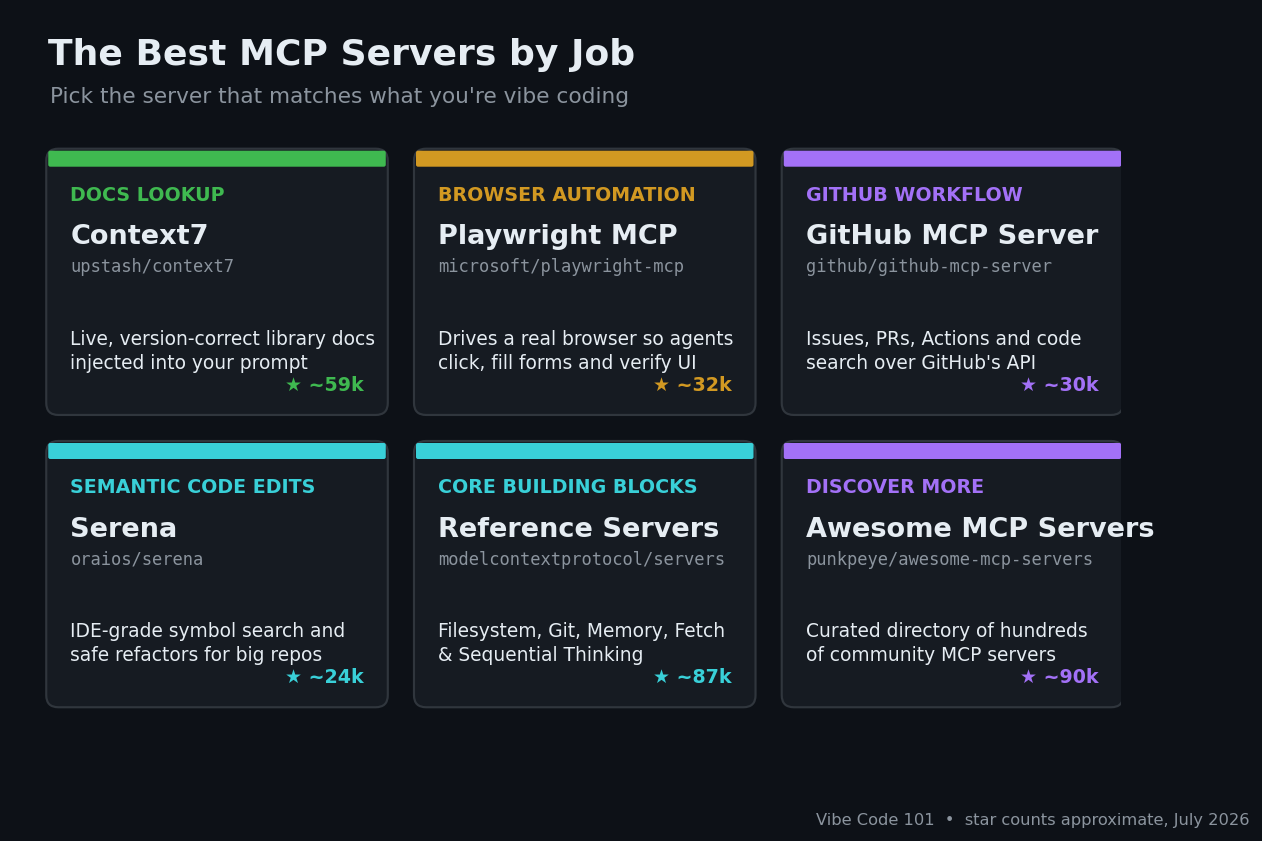
You don't pick one MCP server — you assemble a small stack. Start with the official building blocks, then bolt on whatever your project actually needs:
- Every project: the official Filesystem, Git, and Memory servers.
- Working with fast-moving libraries: add Context7 so the agent codes against current docs.
- Building or testing a UI: add Playwright MCP so it can drive the browser.
- Living on GitHub: add the GitHub MCP Server to automate issues, PRs, and CI.
- Refactoring a big codebase: add Serena for IDE-grade symbol navigation.
- Need something else entirely: browse awesome-mcp-servers or the MCP Registry.
A word of caution that mirrors our roundup of open-source AI coding agents: MCP is young and churny. Servers get renamed or archived, and every server you add is code with access to your files or accounts. Prefer official or well-starred projects, check that a repo is actively maintained, and scope each server's permissions to the minimum it needs. The habits that make any stack reliable are the same ones in our guide on how to prompt for vibe coding: load the right context, work in small slices, and review every change.
Key Takeaway
The best MCP servers in 2026 aren't a single winner but a toolkit: the official reference servers give you files, git, and memory; Context7 keeps your code current; Playwright MCP lets your agent use a browser; the GitHub MCP Server automates your workflow; and Serena makes big refactors safe. Start with the essentials, add servers as concrete needs appear, verify each one is still maintained, and you'll turn a plain AI chat into a genuinely capable pair programmer — on tooling you fully control.
Star counts and project statuses are approximate and were verified on GitHub in July 2026; the MCP ecosystem changes fast, so check each repo before you install it.