How to Prompt for Vibe Coding: 8 Techniques That Actually Ship Working Code
July 7, 2026 · 1180 words
Vibe coding is only as good as the prompt behind it. Describe what you want in plain English, and the AI writes the code — but vague vibes produce buggy, throwaway output. This guide covers how to prompt for vibe coding with eight techniques that consistently ship working code, complete with copy-paste templates and a 2026 tool comparison.
The term was coined by Andrej Karpathy in February 2025 and moved so fast it landed in the dictionary within weeks — Merriam-Webster now lists it as slang for "writing computer code in a somewhat careless fashion, with AI assistance." By 2026, vibe coding has gone from a viral tweet to a daily workflow: industry surveys report that roughly 72% of developers use AI coding tools daily and a large share of new code is AI-generated. The developers getting real results aren't the ones typing "build me an app" — they're the ones who prompt with structure.
What Vibe Coding Actually Is
At its core, vibe coding means describing intent and letting a large language model generate the implementation. You stay in the loop as the reviewer and director; the AI handles the typing. That shift makes building faster and more accessible — but it doesn't remove your responsibility for the final product. The best prompts give the model enough context, constraints, and examples that it stops guessing.
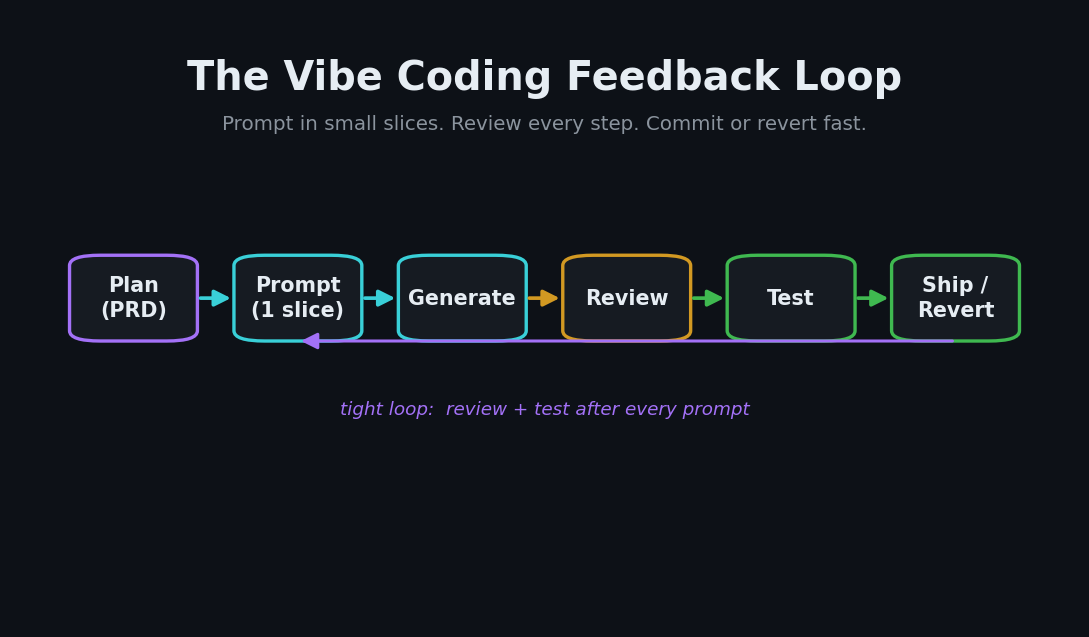
Here's the loop every effective vibe coder runs, whether they're in Cursor or a terminal agent:
The 8 Techniques
1. Start with a plan, not a prompt
Before you type a single instruction, write a one-page Product Requirements Document (PRD) — even a rough outline of what you're building, who it's for, and how it works. A short spec gives every downstream prompt a shared source of truth and keeps the AI from inventing its own architecture.
2. Load context before you ask
The single biggest quality lever is context. Attach the relevant files, database schema, API docs, and your style guide. If you want the AI to follow your conventions, point it at your .eslintrc or a CLAUDE.md/rules file. Anthropic's prompting guidance notes that for long, data-rich inputs, placing documents near the top of the prompt — above your actual question — can improve response quality by up to 30%.
3. Prompt one slice at a time
Ask for "a full ecommerce site in one shot" and you'll get fragile, half-working code. Break the work into slices — auth, product catalog, cart logic, payment, admin — and prompt for one at a time. Small slices are easier to review, test, and revert.
4. Be explicit about inputs, outputs, and failure
A vague prompt produces vague code. State exactly what a function takes in, what it returns, and how it should fail. "Handle errors" is a wish; "return a 400 with a JSON error body when the email is missing" is a spec.
Here's the difference in practice:
| Weak prompt | Strong prompt |
|---|---|
| "Make a login form." | "Create a React login form with email + password fields, client-side validation, and an onSubmit(email, password) prop. Match the styling in Button.tsx." |
| "Add a database." | "Add a Prisma User model with id, email (unique), createdAt. Generate the migration only — don't touch existing models." |
| "Fix the bug." | "The cart total is wrong when quantity > 1. Here's cart.ts and a failing test. Make the test pass without changing the API." |
5. Keep the feedback loop tight
Prompt, review the output, test it immediately, then commit or revert. Fast iteration prevents small errors from compounding into a tangled mess. If two attempts fail, Claude Code's best practices recommend clearing context and restarting with a sharper prompt rather than piling more instructions onto a contaminated thread.
6. Structure every prompt the same way
Strong prompts share a skeleton: context, task, constraints, an example, and the output format you want. Internalize this shape and your hit rate climbs.
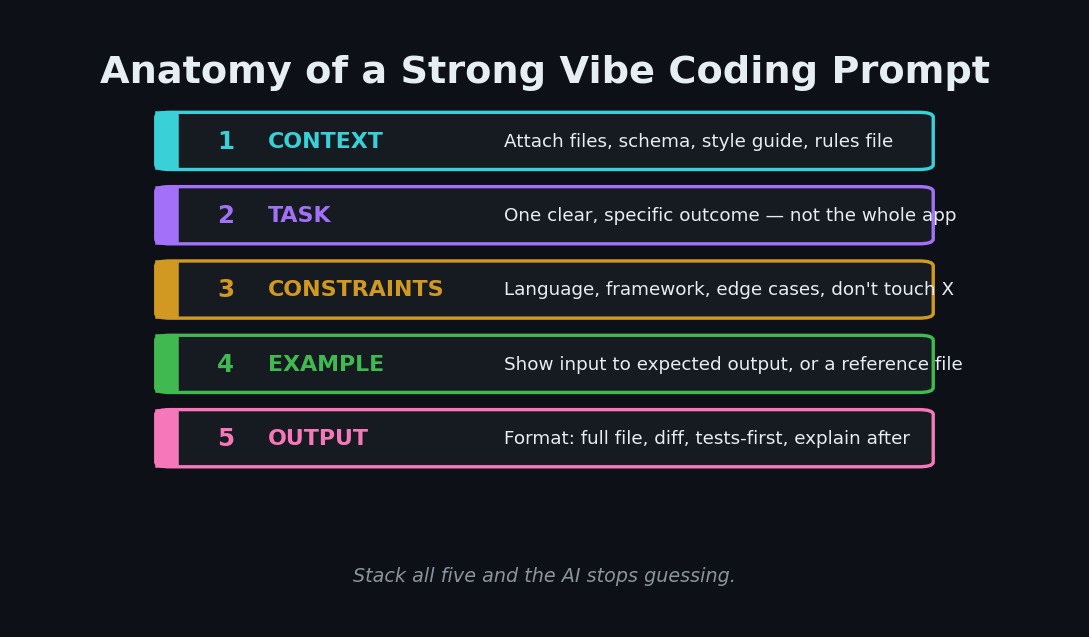
A reusable template you can paste into any tool:
CONTEXT: Next.js 15 App Router + TypeScript. Files attached: cart.ts, types.ts.
TASK: Add a discount code feature to the cart.
CONSTRAINTS: Don't change the public cart API. Reject unknown codes with a typed error.
EXAMPLE: applyDiscount("SAVE10", 100) -> 90. applyDiscount("BAD", 100) -> throws InvalidCode.
OUTPUT: Full updated cart.ts, then a short note on what changed.
7. Review and test like you wrote it
The AI is a pair programmer, not a replacement. You own the final code, so read it, run it, and understand it. A useful pattern from agentic workflows is Writer/Reviewer: have one session write tests, then a fresh session write the code to pass them — the clean context keeps the reviewer from rubber-stamping its own work.
8. Know when not to vibe code
Traditional, hand-written code still wins for custom algorithms, performance-critical paths, and anything security-sensitive. Write your authentication logic, payment processing, and encryption by hand, or at minimum review AI drafts of them line by line. Vibe coding is a throttle, not autopilot — see daily.dev's breakdown of where it fits and where it doesn't.
Which Tool Should You Prompt In?
Your prompts port across tools, but each editor has a different sweet spot. The 2026 pattern among effective developers is pairing two: an IDE-integrated assistant for day-to-day work and a terminal agent for heavy lifting.
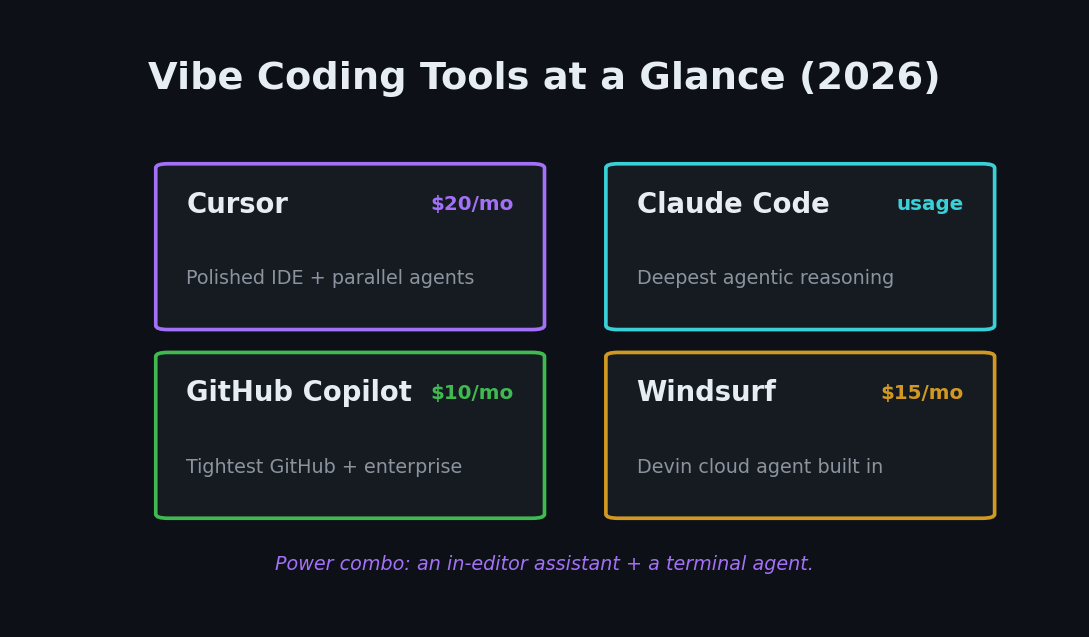
| Tool | Entry price | Best for |
|---|---|---|
| Cursor | ~$20/mo | Polished IDE with parallel in-editor agents and the largest community |
| Claude Code | usage-based | Deepest agentic reasoning for big autonomous tasks in the terminal |
| GitHub Copilot | ~$10/mo | Tightest GitHub integration and the safest enterprise default |
| Windsurf | ~$15/mo | Bundles a cloud agent for one-click delegation to a remote VM |
A common power combo is Cursor + Claude Code: Cursor for in-editor edits, Claude Code for large refactors and multi-file tasks. Whatever you pick, the prompting techniques above are what separate clean output from a debugging spiral.
Putting It Together
Vibe coding rewards structure, not shortcuts. Plan first, load context, prompt in slices, be explicit, keep the loop tight, and always review. Do that and the AI stops guessing — it starts shipping. Once you've got a workflow you trust, the next step is turning those builds into a product; our guide on going From Vibe Code to Cash walks through the exact stack for shipping a SaaS fast.
Key takeaway: the quality of your code is downstream of the quality of your prompt. Treat every prompt like a mini-spec — context, task, constraints, example, output — and vibe coding becomes a reliable way to build, not just a fun way to experiment.